Welcome to a better video conferencing experience.
Mirror | Mirror allows you to appear live in the same frame as your shared presentations and documents, like the weatherman.
Point, wave, gesture, and engage your meeting audience. Communicate more memorably and more productively.
Give presentations live in an auditorium, classroom, or conference room. Invite remote meeting participants. Record a broadcast-quality video of your presentation. Or do all three.
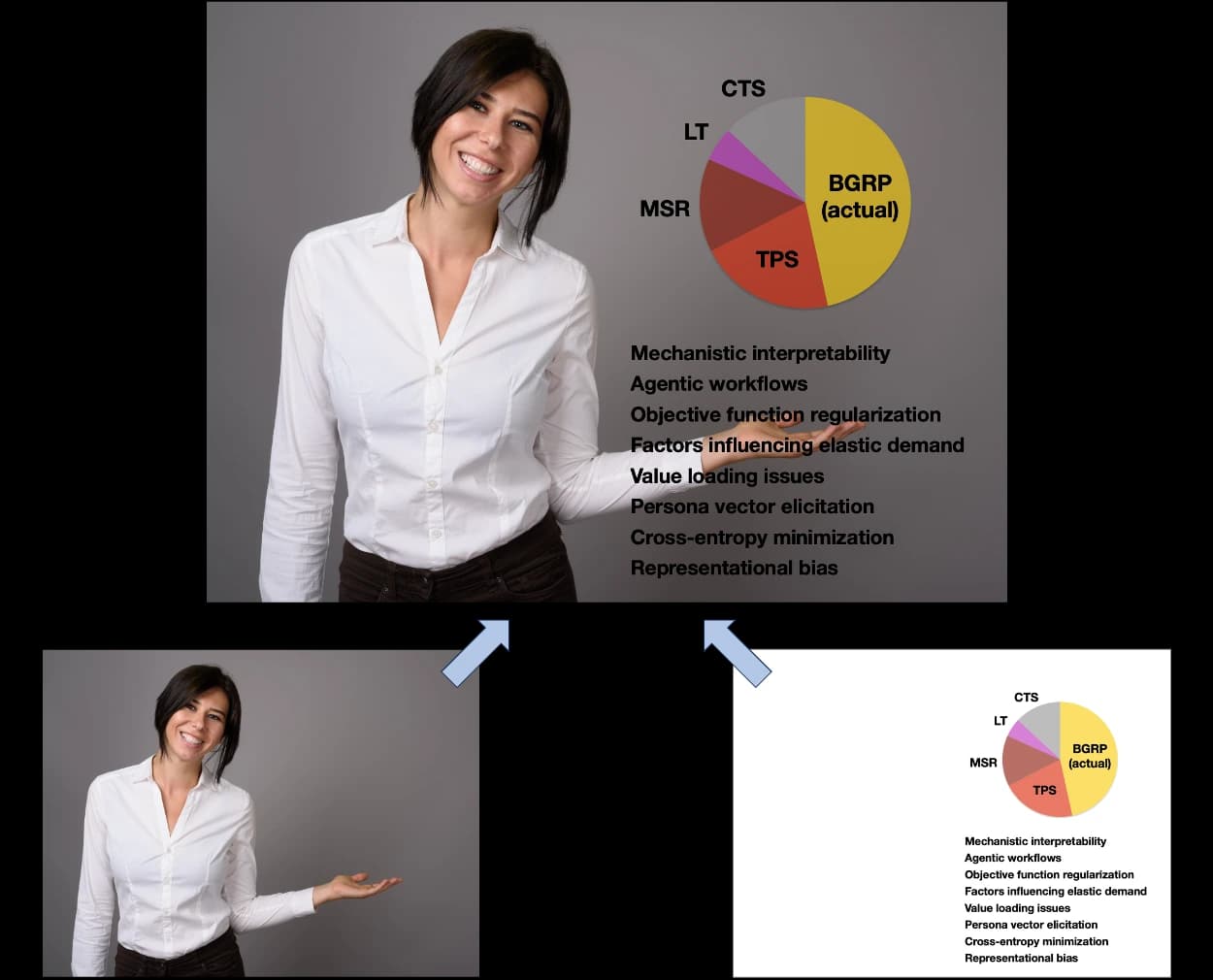
Your live webcam video
Your presentation document
Other platforms give you a corner tile beside your slides, or key you into a slide background. Mirror | Mirror keeps you full-size and lays your actual document over you — so you can point at it. Go beyond simple screen sharing, and put yourself inside your shared media.
Mirror | Mirror’s presenter overlay works with Microsoft Office, Google Docs and Adobe PDF document formats. You can always share your screen in the familiar way.